

By Ashish Akotkar · 29 August 2026
TL;DR: Walking pad and treadmill desk guides disagree wildly on speed for typing — anywhere from 0.6 mph to 3 mph, depending which retailer’s blog you read. The actual peer-reviewed research is narrower: most studies test right around 1.5 mph, and even that measurably slows typing speed and drops accuracy in the short term, though a larger 2024 Mayo Clinic trial found the accuracy hit mostly disappears. Start around 1–1.5 mph for keyboard-heavy work, and don’t trust a speed guide that doesn’t say where its numbers came from.
Search “walking pad speed for typing” and you’ll get a different number from every retailer’s blog. WalkingPad’s own UK site recommends roughly 0.6–1.5 mph for working or typing. iMovR says 2 to 3 mph is fine for coding and spreadsheets. UREVO splits the difference at 0.5–1.5 mph. GagaRun says 1.0–1.4 mph and claims accuracy “drops above 1.5 mph” without citing anything. None of these are exactly wrong — they’re just guessing in different directions, because almost none of them link a source. So it’s worth checking what the actual research says, separate from what a company selling you a treadmill wants you to believe.
What speed did researchers actually test?
Most of the peer-reviewed work on treadmill desks and cognitive or typing performance settles on the same number: 1.5 mph, flat grade. That’s roughly the slowest pace most people can hold comfortably without an unnatural, shuffling gait, and it’s become the de facto standard test speed in this research.
A 2015 study in Frontiers in Psychology put participants on a treadmill at 1.5 mph and measured cognitive control — conflict adaptation, response inhibition, error monitoring — against a seated group. It found no meaningful difference: response-inhibition accuracy was 67% in both the walking and sitting groups, and none of the reaction-time or error-monitoring differences reached significance. Slow walking on its own doesn’t appear to tax executive function.
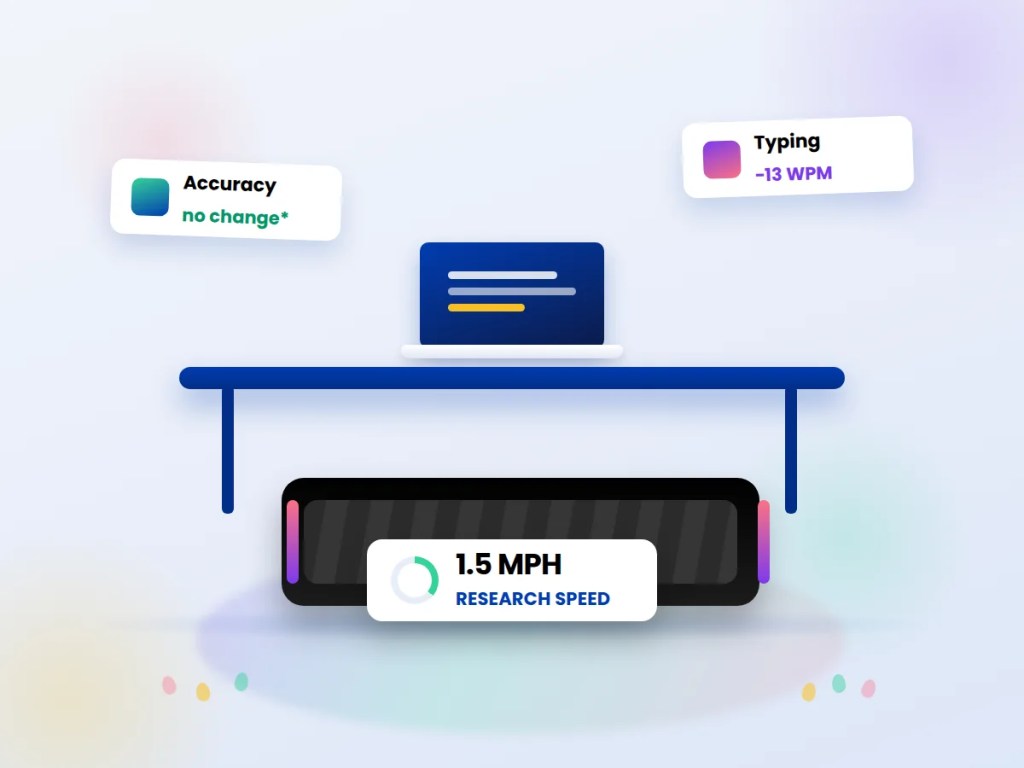
Typing is a different story. A separate 2015 study in PLOS ONE, “Cognitive and Typing Outcomes Measured Simultaneously with Slow Treadmill Walking or Sitting,” had participants type while walking at that same 1.5 mph. Net typing speed dropped by about 13 words per minute compared to sitting, and accuracy was significantly worse across every measure tested (p<0.05) — even after controlling for participants’ fitness level.
That’s almost certainly the study behind GagaRun’s “accuracy drops above 1.5 mph” line, even though the blog post itself doesn’t say so. It’s a real finding — just from one study, at one speed, with a group of people who weren’t necessarily practiced at typing on a moving belt.
Does that effect hold up in a bigger, more recent trial?
Partly. A 2024 randomized clinical trial from the Mayo Clinic, published in the Journal of the American Heart Association, tested active workstations — standing, stepping, and slow treadmill walking — against sitting, on a larger and more varied group. The journal itself sits behind a verification wall this run couldn’t get past, but Mayo Clinic’s own summary of the results is specific: typing speed “slowed down only a bit,” and typing accuracy was not affected. Reasoning scores actually improved while standing, stepping, and walking compared to sitting.
That’s a meaningfully different result from the 2015 PLOS ONE study on accuracy specifically, and it’s worth being honest about why rather than picking whichever number is more convenient: it’s a different, larger trial, using a mix of active-workstation types rather than treadmill walking alone, and — like most single studies — neither one has been directly replicated. The reasonable read isn’t that one study is right and the other wrong. It’s that slow, steady walking has a real but small cost to typing speed, that cost is smaller and less consistent for accuracy than the 2015 data suggested on its own, and it likely shrinks further with practice — none of these studies tracked the same people over weeks the way an actual owner would experience it.
So what speed should you actually walk at?
Given the research clusters around 1.5 mph and the marketing guides range from 0.6 to 3 mph, the middle of that range is the sane starting point — not the top of it.
| Task | Reasonable starting speed | Why |
|---|---|---|
| Typing-heavy work (coding, writing, spreadsheets) | 1.0–1.5 mph | Matches the speed used in the studies that found a real but modest typing-speed cost |
| Reading, email, light browsing | 1.5–2.0 mph | Lower coordination demand, so a small speed increase has less to interfere with |
| Video calls, camera on | 0.5–1.0 mph, or paused | Visible bobbing is distracting regardless of what the research says about cognition |
| Passive listening, no keyboard | 2.0–2.5 mph | No fine-motor task to protect, so a closer-to-normal pace is fine |
Two practical notes the studies don’t fully cover. First, everyone’s “coordinated” speed is different — someone who’s used a walking pad for months will likely type more accurately at 2 mph than a first-time user will at 1 mph, so treat the table as a starting point, not a ceiling. Second, if a task genuinely needs full accuracy on the first pass — a production deploy, a legal document, a message you can’t unsend — the honest move is to pause the belt, not to push through at speed and proofread twice.
Is a walking pad actually worth it for a desk job?
That’s a bigger question than speed, and it’s worth keeping separate from it. Sitting for long unbroken stretches is consistently linked to worse cardiovascular and metabolic markers in population research, and accumulated daily movement — walking pad or otherwise — is a reasonable way to break that up. But a walking pad isn’t a substitute for medical guidance about your own activity level, especially with an existing joint, balance, or cardiovascular condition; talk to a doctor before starting one, the same as with any new exercise habit. This piece is about picking a speed for the keyboard, not a recommendation about how much any one person should be walking.
Quick-start checklist
- Start at 1.0–1.5 mph for anything typing-heavy, and only nudge it up once you’re not looking down at the keyboard.
- Expect a real, measurable typing-speed dip at first — the research points to roughly 13 WPM at 1.5 mph — and expect it to shrink with practice.
- Pause the belt entirely for camera-on calls and anything that needs full accuracy on the first pass.
- Be skeptical of any speed guide that doesn’t explain where its numbers came from.
- Treat “how much should I be walking overall” as a separate, medical question from “what speed while typing,” which is just an ergonomics one.
If you split time between a desk and actual travel, the same check-the-primary-source habit is worth applying to trip planning, too — see where ETIAS actually stands going into Q4 2026.





Leave a Reply