


By A. Akotkar · 26 September 2026
Search monitor height and every result agrees: put the top of the screen at eye level. Desk makers say it, monitor-arm sellers say it, and OSHA says it.
The researchers who actually measured it disagree, and have since 1999. Their paper’s note to industry is the flattest sentence in this post: current recommendations “are based more on intuition than empirical evidence.”
This is ergonomics, not medicine. It covers what the studies measured — posture, gaze angle, muscle activity — and nothing about diagnosing or treating anyone’s neck. Pain that persists is a clinician’s question, not a furniture one. I have not run any of these measurements myself; the studies are linked so you can read them.
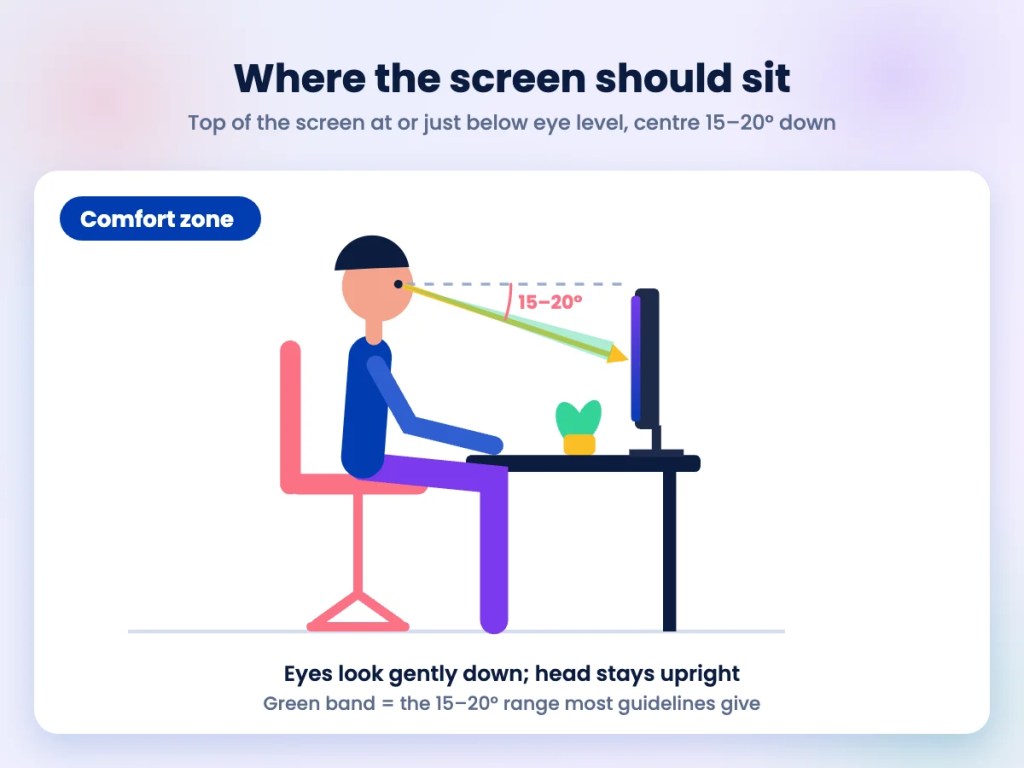
TL;DR: The standard advice puts the top of the screen at or just below eye level, with the centre 15 to 20 degrees below horizontal. A 1999 study found that dropping the monitor 18 degrees lower moved gaze closer to where people actually prefer it, at the cost of 5 degrees more head flexion, and concluded that “top of monitor at eye height” advice “must be questioned”. A 2003 study found lowering the screen increased neck extensor muscle activity. Both can be true: they measured different things. The practical answer is a range, not a point, and laptops sit far below all of it.
- How high should your monitor be?
- Where does the eye-level rule come from?
- What happens when you lower the screen?
- So why do other studies disagree?
- What about laptops?
- What should you change at your desk?
How high should your monitor be?
Lower than you have probably been told, and within a range rather than at a point.
The official version is consistent. OSHA’s computer workstations eTool says “The top of the monitor should be at or slightly below eye level” and that “The center of the computer monitor should normally be located 15 to 20 degrees below horizontal eye level”, at a viewing distance “between 20 and 40 inches (50 and 100 cm)”.
Cornell’s ergonomics guidelines put it in terms you can check without a protractor: your eyes should line up with a point “about 2-3″ below the top of the monitor casing”, which lands the centre of the screen around 17 to 18 degrees below horizontal.
Those two agree, and both are more moderate than the folk version of the rule, which has quietly become “top of the screen at eye level, or higher if you have a stand”. The gap between “at or slightly below” and “as high as the stand goes” is where most badly set-up desks live.
Where does the eye-level rule come from?
Not from a trial. It comes from an intuition about neutral posture that turned out to be only half right.
The reasoning ran: a screen too low makes you bend your neck, bending your neck hurts, so raise the screen until your head is upright. That is true as far as it goes. What it ignores is that the eyes rotate in the head, and their resting position is below horizontal, so the head can stay upright while the gaze drops.
Burgess-Limerick and colleagues, writing in International Journal of Industrial Ergonomics in 1999, put the criticism in print: “An examination of head and neck biomechanics suggests that recommendations of the ‘top of monitor at eye height’ type must be questioned.” The paper’s relevance-to-industry note is blunter still — the recommendations are “based more on intuition than empirical evidence”, and “Lower computer monitor placements may be beneficial.”
Nearly thirty years on, the intuition is still what the furniture industry sells.
What happens when you lower the screen?
Your gaze angle improves more than your neck angle worsens. That is the trade, and the numbers are small on both sides.
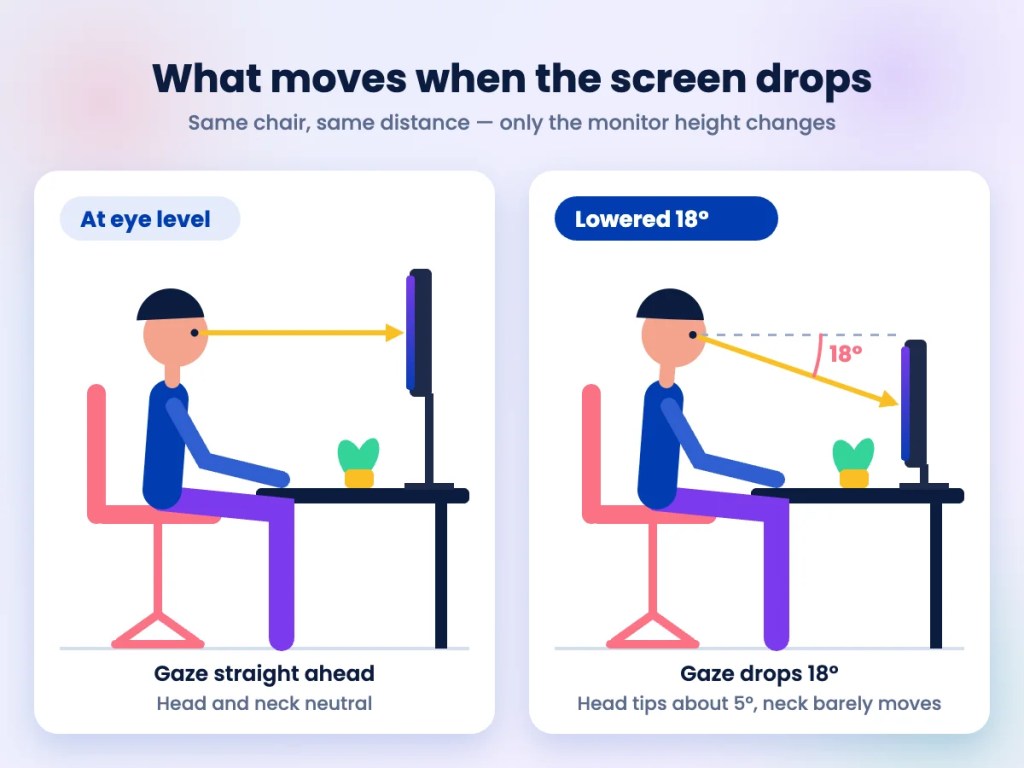
In that study, subjects did word processing with the monitor at eye level and then 18 degrees lower. Lowering it “had no significant effect on the position of the neck relative to the trunk, while the mean flexion of the head relative to the neck increased by 5°” (p = 0.024). So the neck itself barely moved; the head tipped forward five degrees.
Meanwhile the gaze angle moved from 17 degrees below the ear-eye line to 25 degrees. That matters because of where people put their eyes when nobody is measuring: the preferred gaze angle sits “somewhere between 35° and 44° below the ear-eye line”. Both positions undershoot it. The lower one undershoots by less.
Put plainly: at eye level, your eyes are working harder than they would choose to, in exchange for a neck posture that is barely different.
So why do other studies disagree?
Because they measured muscles rather than angles, and muscles told a different story.
Seghers, Jochem and Spaepen, in Ergonomics in 2003, ran 89-minute sessions at four screen heights. Lowering the screen from the highest setting “decreased the ear-eye angle, increased the viewing angle… and increased the muscle activity of the neck extensor muscles.” More neck extensor activity is the opposite of what you want from a change meant to reduce strain. They also found fatigue itself was rare across the session, which cuts both ways.
Earlier work points the same way on posture: Villanueva and colleagues in 1996 found neck angle, thoracic bending and vertical eye position all changed significantly with screen height, with the body and eyes adjusting together rather than one compensating neatly for the other.
So the honest summary is that the evidence supports a lower screen than the folk rule and does not support a low one. Somewhere in the OSHA and Cornell band — centre 15 to 20 degrees below horizontal — you satisfy both findings. That is also why nobody has produced the single correct number: the 2003 paper opens by noting that despite much research on optimal screen height, “there is to date no consensus.”
What about laptops?
They fail the test by design, and no amount of posture will fix the geometry.
Cornell states the problem exactly: “laptop design inherently is problematic — when the screen is at a comfortable height and distance the keyboard isn’t and vice versa.” A laptop on a desk puts the screen roughly 25 to 30 centimetres below where either guideline wants it.
The measurement work backs the obvious fix. Guo and colleagues, in Work in 2024, had twelve participants read for 15 minutes at four laptop screen heights and found that “Adjusting the height of the laptop screen can effectively reduce head flexion and muscle activity” of the splenius capitis and upper trapezius, with reduced fatigue in the splenius capitis but no significant effect on the upper trapezius. Twelve people and fifteen minutes is a small study; take the direction, not the precision.
The catch is the one Cornell names. Raising the laptop fixes the screen and ruins the keyboard, so a riser without a separate keyboard and mouse trades a neck problem for a wrist-and-shoulder one.
What should you change at your desk?
- Drop the monitor to the top of the band, not above it. Top of the screen at or just below eye level; the centre 15 to 20 degrees below horizontal. If your stand only goes up, you are probably already too high.
- Ignore “higher is more ergonomic”. The claim that the screen should sit at or above eye level is the one the research questions.
- Set the distance while you are there. 50 to 100 cm, arm’s length as a rough check.
- On a laptop, raise the screen and add a keyboard. One without the other moves the problem rather than solving it.
- Treat the band as a range and move inside it. No study has produced the single right number, and the differences across the band are a few degrees.
- If you wear varifocals, expect to go lower. OSHA notes that bifocal wearers tilt their heads back to read through the bottom of the lens, and suggests lowering the monitor further or using single-vision computer lenses.
- Persistent pain is a clinician’s question. These studies measured posture and muscle activity in healthy volunteers over minutes and hours, not treatment over months.
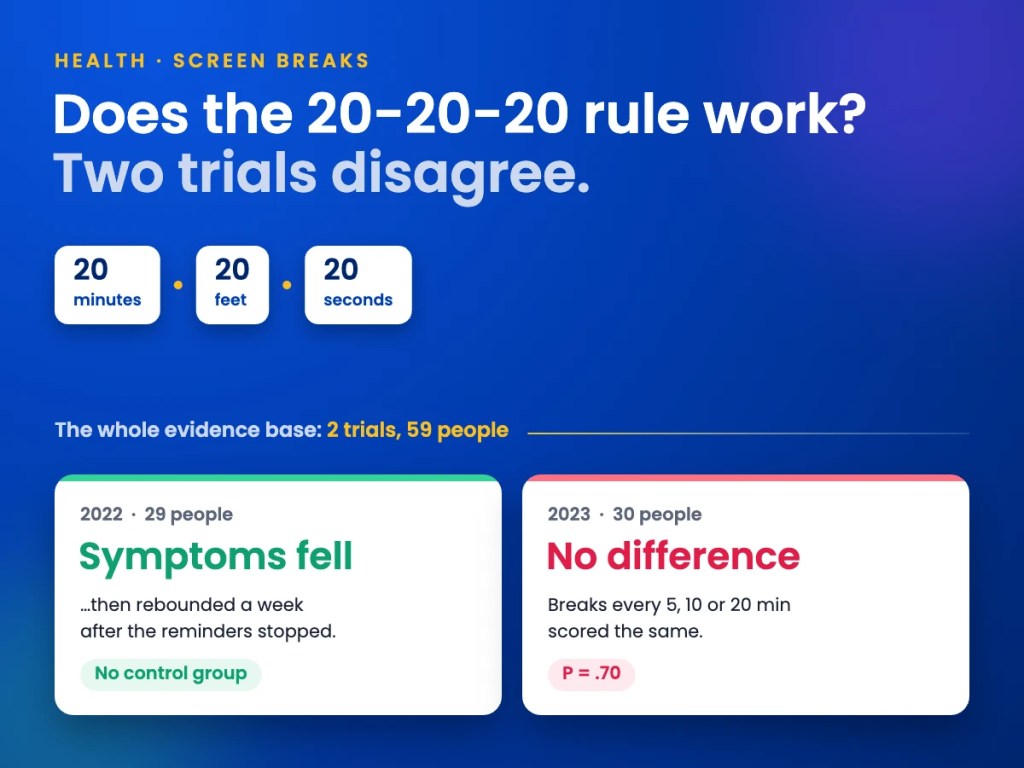
For the other half of the screen-comfort question — whether taking breaks does anything measurable — see whether the 20-20-20 rule works.




Leave a comment