

By Ashish Akotkar · 30 August 2026
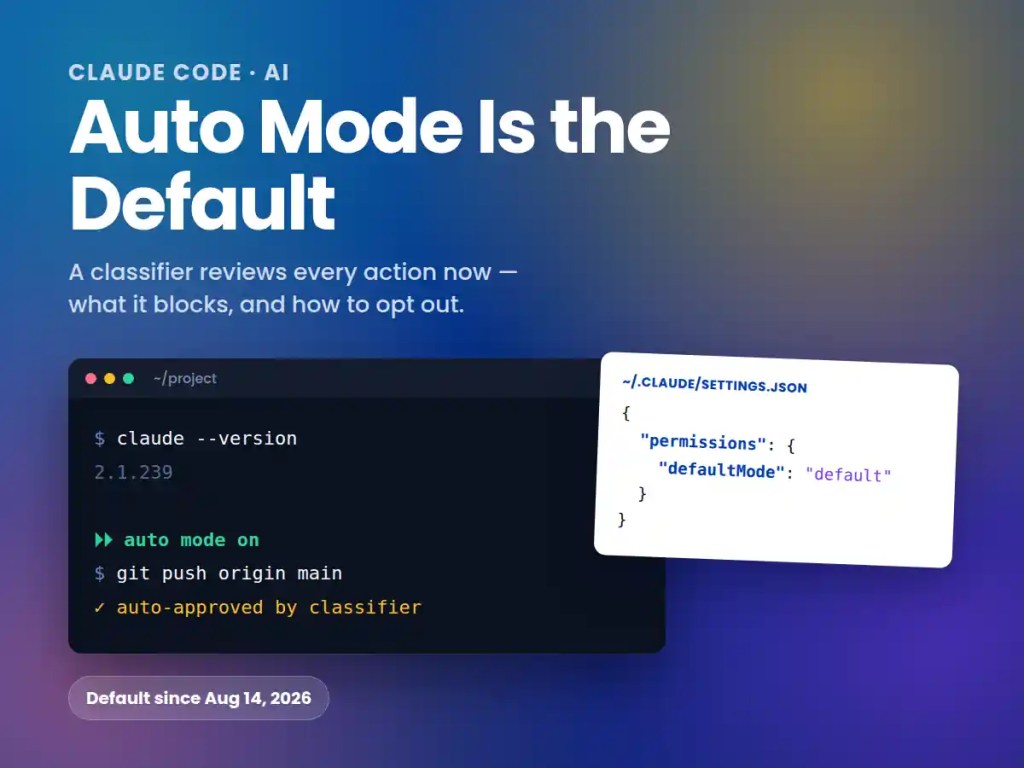
TL;DR: On August 14, 2026, Anthropic made “auto mode” the default permission setting in Claude Code for Pro, Max, and Team plans. Instead of Claude stopping to ask “yes/no” before every file edit or shell command, a second model — a classifier — reviews each action in the background and blocks anything that looks destructive, irreversible, or aimed outside your project. If you’d already set a permission mode, nothing changed. If you hadn’t, your next new session likely started in auto mode without you choosing it.
- What actually changed on August 14?
- What is “the classifier,” really?
- Why did Anthropic make this the default?
- What does auto mode actually block?
- What slips through without a prompt?
- How do I check which mode I’m in?
- How do I switch back to manual review?
Anthropic says people were approving 97% of permission prompts before this change — which reads less like careful review and more like reflexive clicking through a dialog to get back to work. That’s the tension here: auto mode is a genuine safety upgrade over the rubber-stamping most people were actually doing, and the data backing that is strong. It’s also a company moving its own tool’s default toward less human-in-the-loop review, on a product now approving pushes to your default branch without asking.
What actually changed on August 14?
Auto mode isn’t new — it shipped as a research preview in March 2026. What changed on August 14 is that it became the built-in starting permission mode for new sessions on Pro, Max, and Team, in the terminal and the VS Code extension. Anthropic’s announcement was direct about it: “Auto mode is rolling out today as the default permission mode in Claude Code for Pro, Max, and Team. If you’ve already set a default mode, Claude will ask before changing anything.”
A week earlier, Anthropic stopped charging Pro, Max, and Team users for the extra tokens the classifier burns reviewing each action — previously the main practical objection to running it. Enterprise, the Claude API, and cloud partners (AWS, Google Cloud, Microsoft) are scheduled to follow “within the month,” per the announcement, but weren’t switched over on the 14th. The built-in default also requires Claude Code v2.1.228+ on macOS/Linux/WSL or v2.1.233+ on native Windows — check with claude --version; older installs still start in manual mode.
What is “the classifier,” really?
It’s a separate model call, not a hardcoded rule engine. Before most actions run, Claude Code sends the pending tool call plus relevant transcript context to a second model — Sonnet 5 by default, regardless of what’s driving your session — and asks whether it looks safe. The classifier never sees raw tool results, so a hostile web page or file can’t manipulate it directly, but it does see your messages, the tool calls themselves, and your CLAUDE.md. If it blocks something, Claude gets a reason and usually tries a safer alternative, or falls back to asking you.
There’s a built-in circuit breaker: three blocked actions in a row, or twenty total in one session, and auto mode pauses itself and reverts to prompting you for everything. That threshold isn’t configurable.
Why did Anthropic make this the default?
The headline figure comes from a controlled study of 1,053 professional testers: human reviewers caught only 13.6% of injected dangerous commands, versus 89% for the classifier. Auto mode also blocked roughly 800 commands the human testers had waved through, while humans caught only 6 that auto mode had missed. A separate look at real May–June 2026 sessions found manually-approved sessions carried unintended serious harm at production severity 2.6 times more often than auto mode sessions (6.3% vs. 2.4%).
The adversarial numbers are worth keeping next to that 89%, though: third-party red-teaming by Apollo Research found a 12% miss rate against auto mode initially, falling to 7% after hardening. Trajectory Labs separately ran 720 prompt-injection attacks against Claude models in auto mode and reported none succeeded, versus a 5.83% success rate on unnamed competing systems. The honest read: auto mode beats the rubber-stamping most people were actually practicing, not a hypothetical careful human review nobody was doing — and Anthropic’s own line is worth keeping in view too: “auto mode relies on classification systems and therefore does not eliminate risk,” with manual review still recommended for high-stakes production changes.
What does auto mode actually block?
This is the part most coverage skips. From Anthropic’s own docs, blocked by default:
- Downloading and executing code, like
curl | bash - Sending sensitive data to an external endpoint, or a commit/push that would leak secrets outside the repo
- Production deploys, database migrations, and mass deletion on cloud storage
- Granting IAM or repo permissions, or modifying shared infrastructure
- Force pushes,
git reset --hard,git clean -fd, and amending a commit that’s already been pushed or wasn’t created this session terraform destroy,pulumi destroy,cdk destroy, and applying a plan that destroys resources- Writing to a secret manager, or changing DNS records or TLS certificates
- Merging a PR nobody approved, approving Claude’s own PR, or disabling CI checks
- Toggling a production feature flag, or printing a live credential into the transcript
- Launching an unattended agent loop with no human approval or sandbox — e.g. starting Claude Code with
--dangerously-skip-permissions - Claude in Chrome actions that could send page content, cookies, or credentials off-origin
Critical-path deletions like rm -rf / get their own hardcoded circuit breaker that no allow rule or classifier verdict can override, in any permission mode — auto mode can only send it to the classifier to block, never silently approve it.
What slips through without a prompt?
Also from Anthropic’s docs, allowed by default with no prompt at all:
- Local file reads and edits inside your working directory
- Installing dependencies already declared in your lockfiles or manifests
- Reading a
.envfile and sending those credentials to their matching API - Read-only HTTP requests
- Pushing to any branch of the repository you’re already working in, including the default branch (branches named like deploy targets, e.g.
productionorgh-pages, are judged separately)
That last one matters if your team treats a push to main as a checkpoint — auto mode doesn’t. For a human checkpoint before pushes or PRs on a specific project, add a permissions.ask rule: auto mode still respects an explicit ask rule even when its own default would allow the action.
How do I check which mode I’m in?
Look at the status bar at the bottom of a running session: ⏵⏵ auto mode on means auto mode, ⏸ manual mode on means the old default. Press Shift+Tab to cycle modes for the current session — from auto, the first press drops you into manual.
How do I switch back to manual review?
For one session:
claude --permission-mode default
To pin manual mode as the default for every session on your machine, add this to ~/.claude/settings.json specifically — it has to be the user-level file; project-level .claude/settings.json can’t set "auto", though it can set "default":
{ "permissions": { "defaultMode": "default" }}
Team and Enterprise admins can remove auto mode from the mode-switcher entirely, so nobody on the org can select it, with "permissions": {"disableAutoMode": "disable"} in managed settings. One catch: if you already had a non-auto defaultMode pinned in ~/.claude/settings.json, Claude Code keeps honoring it, but asks once whether you’d like to switch to auto. Decline and it leaves your setting alone.
Every specific in this post comes from Anthropic’s own permission modes reference, worth bookmarking since the classifier’s blocked-and-allowed lists keep growing with each release. We’ve also covered how Claude’s packaged instructions work in Claude Skills, Tried, and what AI coding tools cost right now in What AI Coding Models Actually Cost Right Now.
Before your next session
- Run
claude --version— auto-mode-by-default only applies on v2.1.228+ (macOS/Linux/WSL) or v2.1.233+ (Windows) - Check your status bar for
⏵⏵ auto mode onbefore assuming you’re still in manual review - If you work on production infrastructure, pin
defaultMode: "default"in~/.claude/settings.jsoninstead of relying on the classifier - Add
permissions.askrules for any action you want a human checkpoint on regardless of mode — release-branch pushes, deploys, schema migrations - On a team plan, decide as a team whether auto mode should be the default or disabled org-wide, rather than letting it default silently per developer
Read next: if auto mode feels too loose, Claude Code’s restricted mode goes the other way. It removes Bash and WebFetch entirely, but it also ignores the deny rules in your project settings.





Leave a Reply