


OpenAI just gave ChatGPT permission to do something most of us would never hand over to an app without a second thought: read our text messages, and reply to them. A new Messages integration for the ChatGPT Mac app lets it see your iMessage and SMS conversations and draft — or, with your go-ahead, send — replies on your behalf. It’s a genuinely useful idea. It’s also the kind of feature that makes you stop and ask what you’re actually agreeing to.
What can ChatGPT actually do with your Messages now?
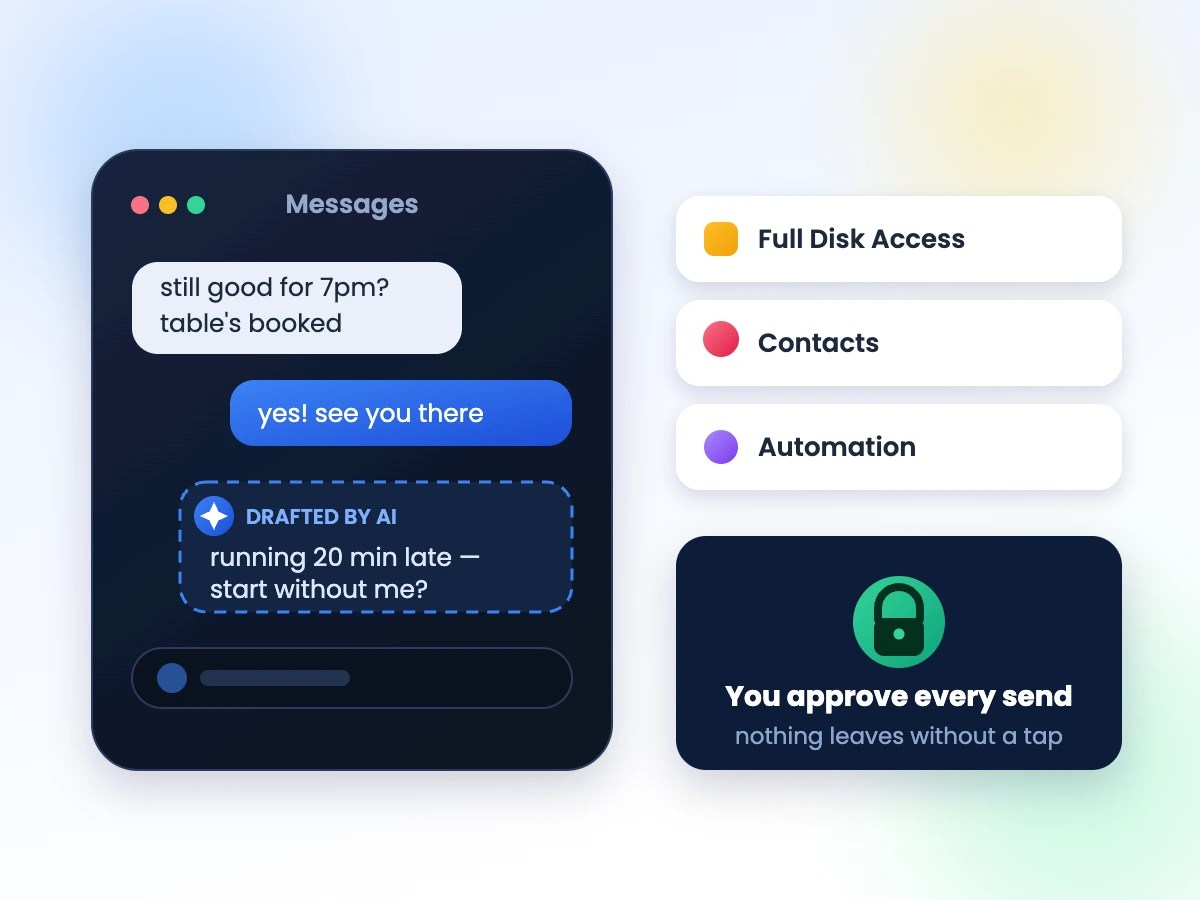
Once you connect it, ChatGPT can pull up recent conversations, summarize what you missed, and suggest a reply in your own voice. Ask it to “tell Sam I’ll be 20 minutes late” and it will find the thread, write the message, and — after you confirm — send it through Messages. It’s the same instinct behind every AI assistant lately: stop making people copy and paste between apps. The difference here is that the app in question holds years of your most personal conversations.
What permissions is it actually asking for?
This is the part worth slowing down for. To read and send Messages at all, ChatGPT needs macOS to grant it Full Disk Access (so it can see the Messages database), access to your Contacts (so it knows who “Sam” is), and Automation permissions (so it can actually drive the Messages app to hit send). Every one of those is a standing permission you grant once in System Settings — not a one-time popup you forget about.
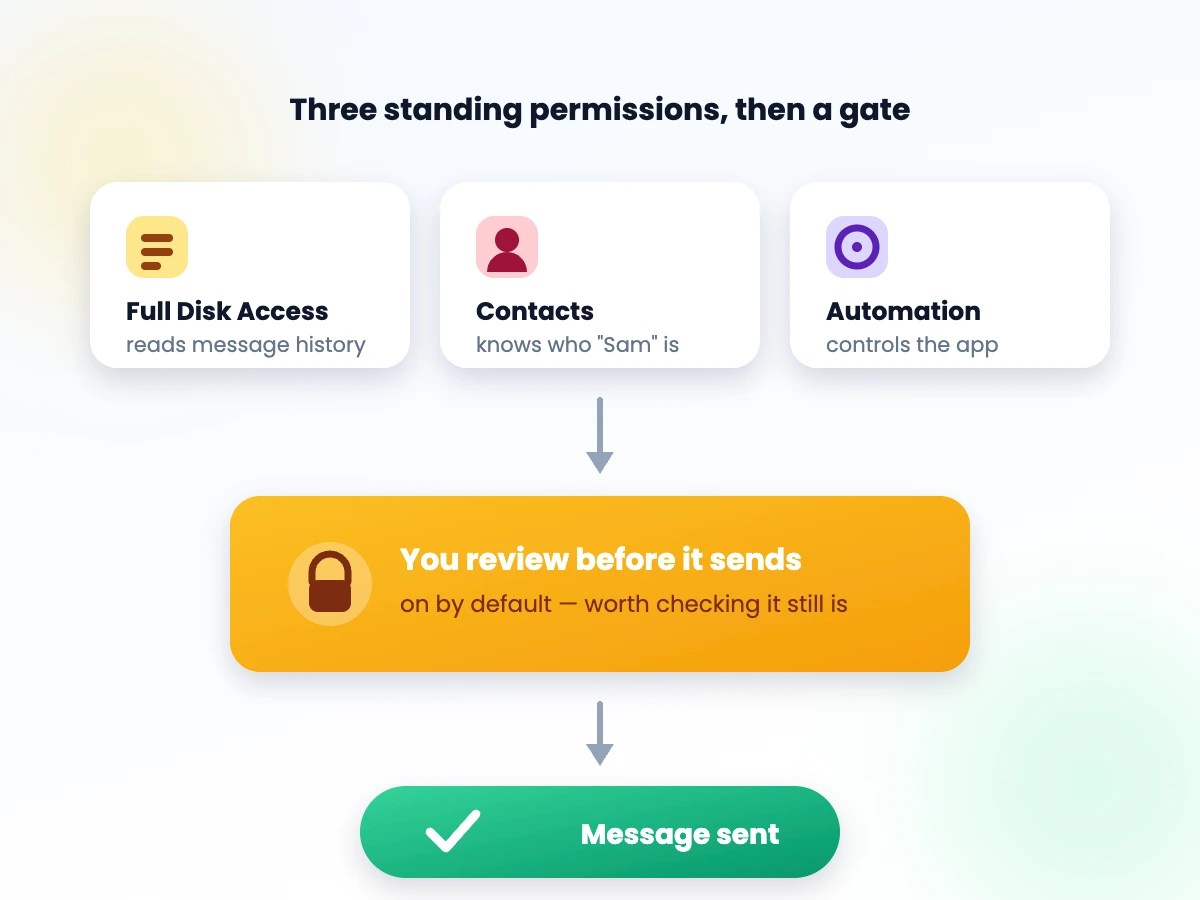
OpenAI’s saving grace here is the review step: by default, ChatGPT drafts a message and waits for you to tap send yourself, rather than firing it off automatically. That’s a meaningful guardrail, but it’s also opt-out, not opt-in by design — so it’s worth checking your settings rather than assuming it’s on.
Is any of this actually staying on your device?
OpenAI has leaned on “on-device” language to describe parts of the integration — the part that scans your Messages database to find the right conversation, for instance, can run locally rather than uploading your entire message history. But drafting an actual reply still means sending the relevant snippet of conversation to OpenAI’s models to generate. “On-device” is doing real work in the pitch, but it doesn’t mean none of your text ever leaves your Mac — it means less of it does, and only when you ask ChatGPT to act on it.
Why some users are pushing back
The reaction since launch has been split. Plenty of people are happy to let an assistant handle the busywork of texting. But a vocal group of users and security researchers have been blunt about not wanting any AI model anywhere near their Messages app, permissions review or not — pointing out that Full Disk Access is one of the broadest grants macOS offers, and that Messages threads often contain exactly the kind of sensitive, unredacted personal history nobody wants training a model or sitting in a company’s logs.
The bigger picture: Apple, OpenAI, and your data
It’s also landing at an awkward moment. Apple and OpenAI have been circling each other — as partners in some Apple Intelligence features and as rivals everywhere else — and Apple has faced its own scrutiny over how deeply it lets outside AI models reach into iPhone and Mac data. A third-party app asking for this level of access to Messages is a preview of a bigger fight: as AI assistants get more useful, they also need more access, and “more access” and “more privacy” are pulling in opposite directions.
Should you turn it on? A quick checklist
Before you connect ChatGPT to Messages, a few things are worth checking first:
- Open System Settings → Privacy & Security and confirm exactly what Full Disk Access, Contacts, and Automation permissions ChatGPT currently holds.
- Make sure the “review before sending” option is actually turned on, rather than assuming it’s the default.
- Think about what’s sitting in your message history — old addresses, verification codes, financial details — before granting blanket access to the whole database.
- Test it on a low-stakes conversation first, so you can see exactly what it reads and drafts before trusting it with anything important.
- Remember the permission is easy to revoke: it’s a toggle in System Settings, not a one-way door.
None of this means the feature is a bad idea — plenty of people will love not having to switch apps to fire off a quick reply. It just means this is exactly the kind of “yes” that deserves a second look before you give it, not after.





Leave a Reply