

By A. Akotkar · August 24, 2026
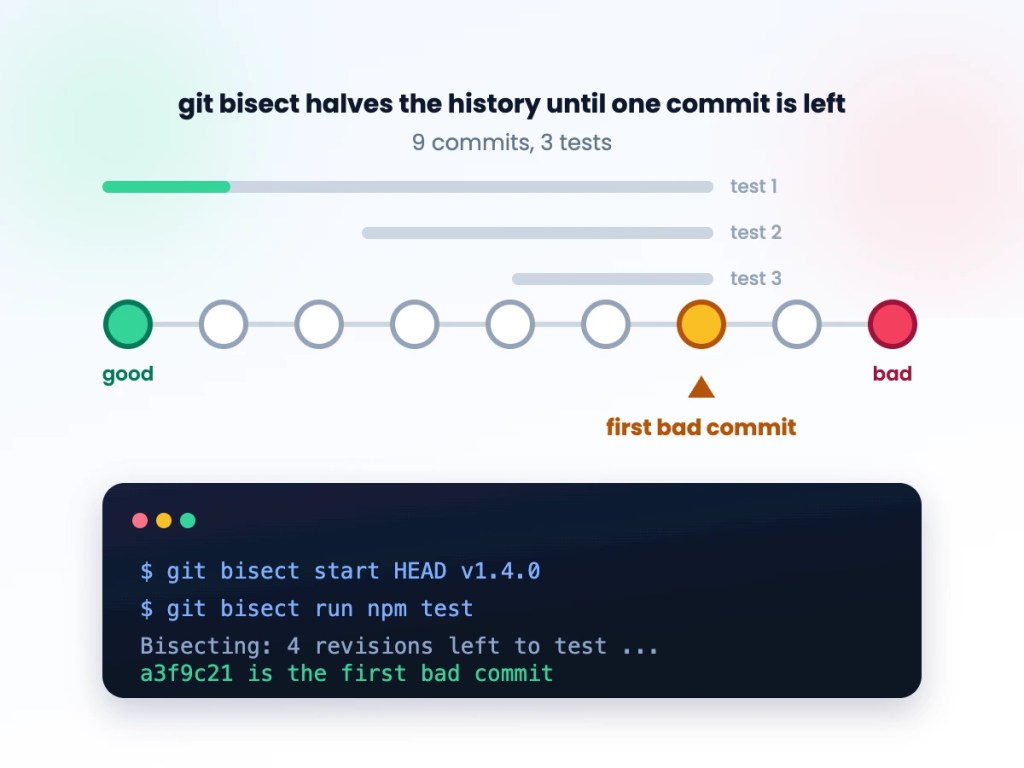
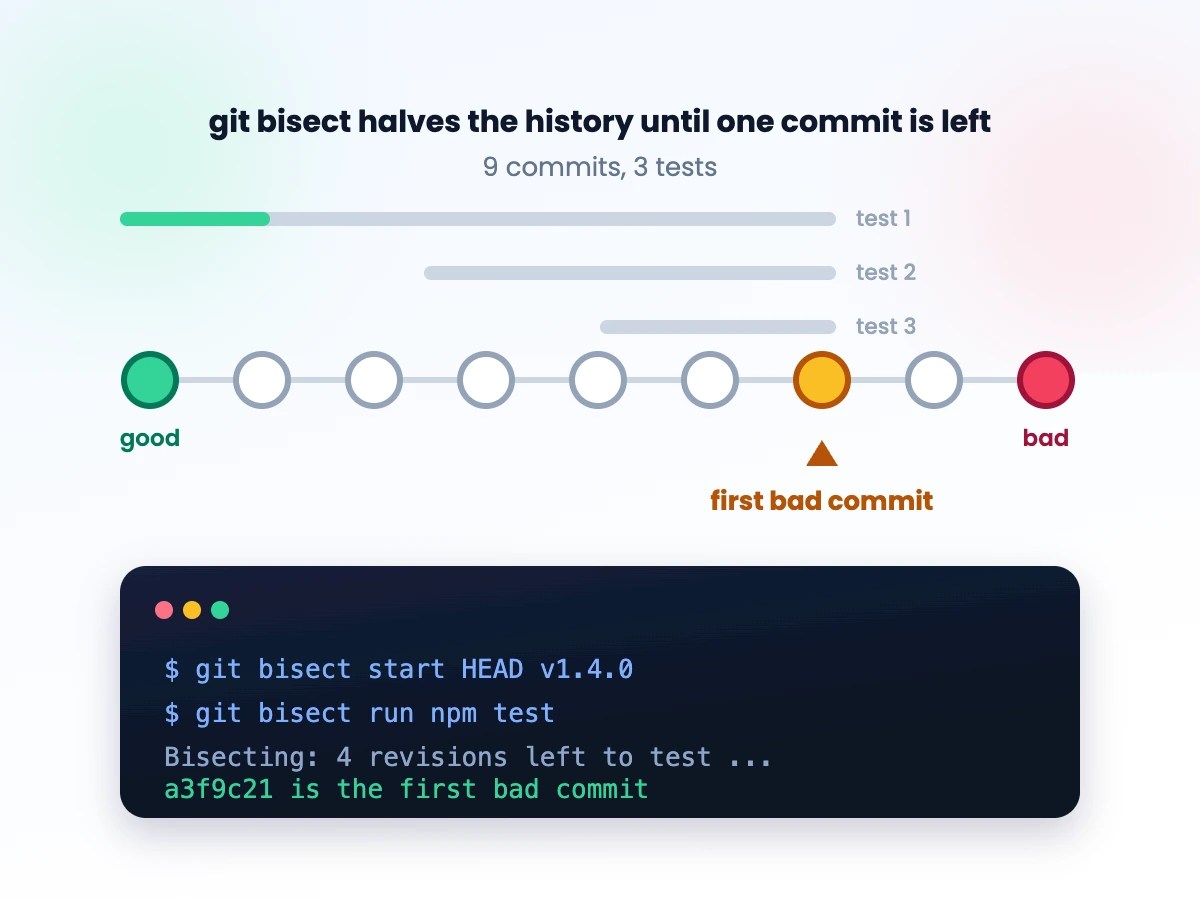
You know a bug wasn’t there last week. You don’t know which of the dozens of commits since then caused it. Scrolling through git log guessing is slow and unreliable — git bisect turns it into a binary search that usually finds the culprit in under ten steps, even across hundreds of commits.
Starting a bisect session
You need two reference points: a commit where the bug definitely exists (usually HEAD) and one where it definitely doesn’t (an old tag or release commit).
git bisect startgit bisect bad HEADgit bisect good v1.4.0
Git checks out a commit roughly halfway between the two. Test it, then tell git what you found:
git bisect good # if the bug is absent heregit bisect bad # if the bug is present here
Git keeps narrowing the range and checking out the new midpoint automatically. Repeat until it prints the exact first-bad commit.
Automating it with a test script
Manually testing each commit is the slow part. If the bug is something you can check with a script — a failing test, a command that crashes, a build that errors — hand the whole loop to git:
git bisect start HEAD v1.4.0git bisect run npm test -- --grep "checkout flow"
git bisect run checks out each candidate, runs your command, and reads its exit code — 0 means good, any nonzero means bad. It walks the entire search on its own and reports the first bad commit with no further input from you. For a bug that’s easy to describe but tedious to check by hand, this is the difference between a five-minute fix and a twenty-minute one.
Handling commits you can’t test
Sometimes bisect lands on a commit that doesn’t build, or one unrelated to what you’re testing (a mid-refactor snapshot, say). Don’t force a good/bad verdict on it — skip it instead:
git bisect skip
Git picks a different nearby commit to test instead. If an entire range is untestable, bisect will eventually tell you it narrowed the bug down to a range rather than a single commit — still far more useful than nothing.
Cleaning up
Bisect leaves you in a detached HEAD state partway through history. Once you have your answer:
git bisect reset
This returns you to the branch you started on. Skipping this step is the most common way people end up confused about why their branch “disappeared.”
Takeaway
git bisect turns a vague “the bug appeared sometime last week” into an exact commit hash, and git bisect run turns that search from a manual chore into something you kick off and walk away from. If you’re still scrolling through commit history guessing, this is the five-minute investment that pays for itself the first time you use it on a hundred-commit range.





Leave a Reply